
01 / Pi on iPhone
Use Pi Coding Agent from your iPhone
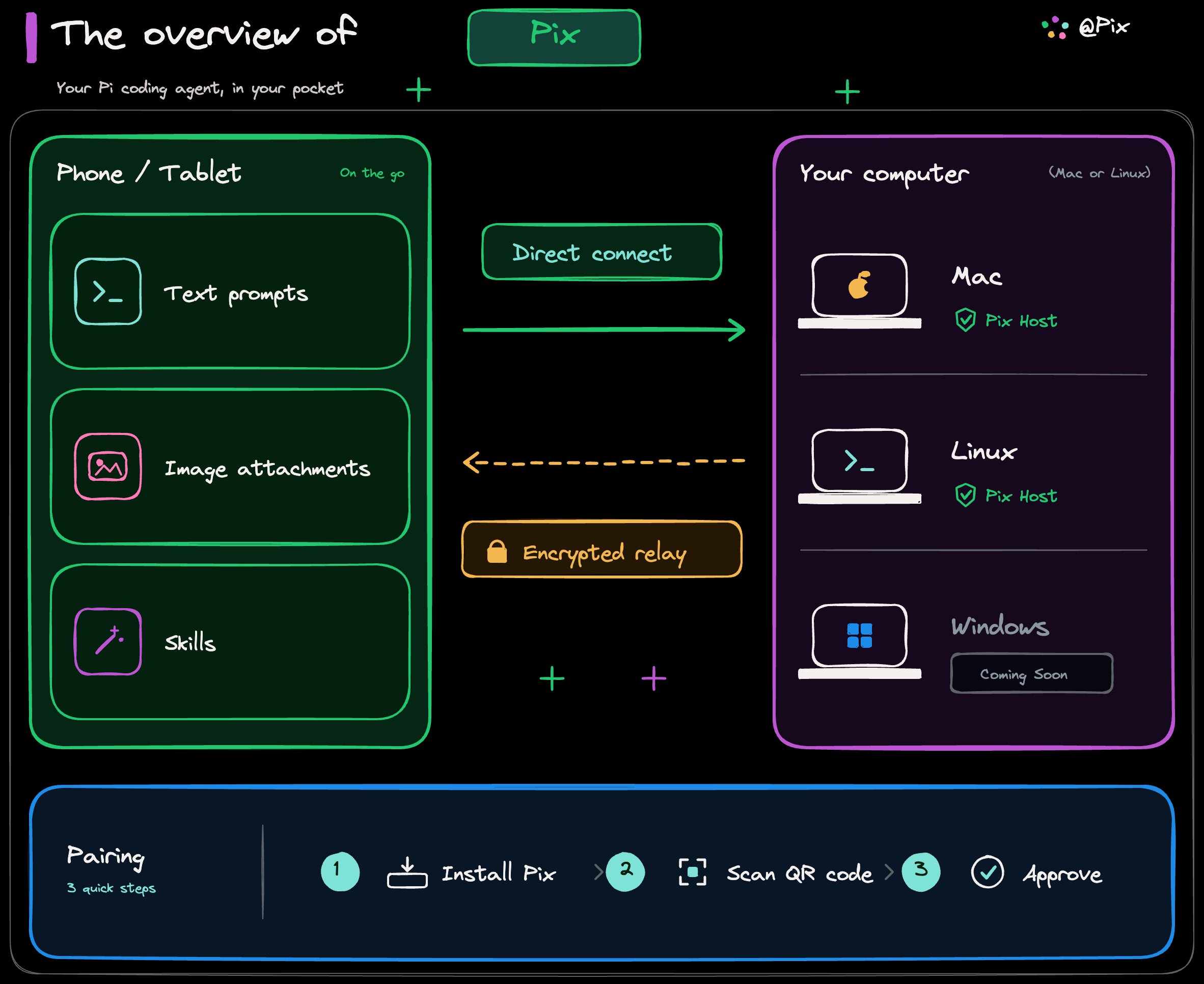
Yes—with Pix, Pi continues running on your Mac or Linux machine while your iPhone acts as the remote client. Start or resume a native Pi session from an authorized workspace without moving the Pi runtime to your phone.
Can you run Pi Coding Agent on an iPhone?
You can use Pi from an iPhone, but Pix does not move or reimplement the Pi runtime on iOS. Pi, its tools, and the session process stay on the host computer; Pix gives you a paired interface to that host.
What can you do from your iPhone?
- Resume an existing native Pi session in an authorized workspace.
- Start a new Pi session without opening a terminal at your desk.
- Send prompts and supported image attachments from your phone.
- Follow agent progress, tool activity, and responses while you are away.
How to use Pi from iPhone
- Install Pi and verify that it runs on your Mac or Linux machine.
- Install Pix Host on that same machine and authorize the workspace you want to use.
- Pair your iPhone with the host and approve the pairing request.
- Open the workspace in Pix, then choose an existing Pi session or start a new one.
What stays on your computer?
The repository, Pi runtime, development tools, credentials, and native session files remain on the host. Pix provides the paired control and transport path; it does not create a cloud copy of your workspace.
For the complete data boundary, read Pix's local-first security explanation.
Using Pi away from home
On the same network, Pix can connect directly. On different networks, the host makes an outbound connection to an encrypted relay, so you can reach the same Pi session without exposing an inbound router port.
See how direct LAN and relay transport work in remote access to Pi Coding Agent.
Questions
Common questions
Can Pi Coding Agent run directly on an iPhone?
Pix does not run the Pi runtime on the iPhone. Pi runs on your Mac or Linux host, while Pix is the paired iPhone client for that runtime.
Does Pix require my Mac or Linux computer to stay on?
Yes. Pi and Pix Host run on that computer, so it must be running and reachable while you use Pix.
Can I use Pi from my iPhone away from home?
Yes. Pix connects directly on a shared network and can use the configured encrypted relay when your iPhone and host are on different networks.
Can I send images to Pi from my phone?
Pix supports image attachments on its prompt path. Whether Pi can interpret an image depends on the model provider and vision capability configured for that session.
Can I resume an existing Pi session from my iPhone?
Yes. Pix lists native Pi sessions discovered on the host, so you can select an existing session instead of starting over.
Does Pix replace the Pi terminal?
No. Pi remains the coding agent and can still be used in its terminal. Pix adds a remote iPhone interface for the same host-side workflows.